


GamePoint Bingo Games of Bingo
4.62.09K Reviews
App Specs
- Version
- 1.313.64415
- Updated On
- License
- Free
- Downloads
- 1,000,000+
- Developer
- GamePoint
- Categories
- Board
- Platform
- Android
Screenshots


 Analysis by AppCompare
Have you ever found yourself craving a classic game of bingo but didn’t want to leave the comfort of your couch? Well, let me introduce you to GamePoint Bingo, a nifty little app that brings all the excitement of bingo right to your fingertips. It’s like having a bingo hall in your pocket, minus the need to dress up and go out.
Picking a room and getting started
The first useful decision in a bingo game is not how to win but how much attention you want to give it. I’d treat choosing a room as a way to set the pace of a session: start modestly while you learn the interface, then decide whether you want a busier or more demanding round. The available rooms make that choice part of the experience rather than an afterthought. Before committing, take a moment to check the cost of entry and the reward on offer so you know what you are risking in the game’s own currency.
That small pause is especially helpful if you are new to mobile bingo. The familiar call-and-mark format makes it easy to begin, but the room choice can still affect how quickly your resources run down. I would not assume that a room with a bigger possible reward is automatically the best one; it is more sensible to pick an entry level that lets you enjoy several rounds without feeling pressured to buy more. That keeps the focus on the game instead of turning every result into a spending decision.
How the round keeps your attention
The basic rhythm is easy to understand: pick cards, follow the called numbers, and wait to see whether your pattern comes together before someone else’s. What gives that loop its appeal is the steady change between attention and anticipation. You are checking the board, reacting to each new call, and then getting a result that sends you back to the room choice. It is simple enough for a short break, but still gives you a reason to stay focused while a round is underway.
Auto-daub is a practical aid if you want to follow the action without tapping every matching number yourself. I see it as a convenience, not a replacement for paying attention: it can reduce missed marks, but you still need to keep track of your cards and the progress of the round. If you are playing while chatting or watching something else, that distinction matters. It is easier to relax when marking is handled for you, yet the game still works best when you give it enough attention to enjoy the suspense.
People, rewards, and the reason to return
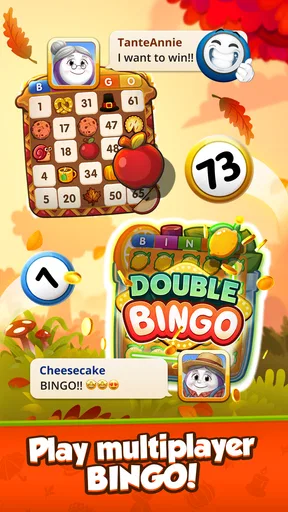
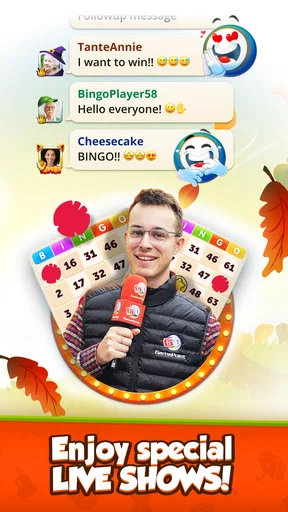
One of the first things I noticed about GamePoint Bingo is its social aspect. You can play with friends or make new ones in the game. There’s a chat feature that lets you connect with other players, and trust me, the community is super welcoming. It adds a whole new layer of fun when you’ve got a buddy to cheer you on or share your wins with.
That social layer is a real difference from playing bingo alone with paper cards or a bare-bones digital caller. In a shared room, the round has a little more company around it, and chat can make a win feel like something to celebrate with other people. It may not be the main attraction for everyone, though. If you prefer quiet, uninterrupted play, or do not want to interact with strangers, you can treat the social side as optional and focus on the cards instead.
Worth Reading Before You Choose

Baby Panda World Brings Quick Play to Modern Phones, but Its Game Library Feels Busy

ESPN’s Live Game View Makes Following Close Games Easier

QuizzLand Review: A Good Fit for Short Trivia Breaks, Not Every Player

Basketball Stars: Multiplayer Is Fast, but Can It Recover When Matches Go Wrong?

WEBTOON Turns Phone Updates Into a Better Reading Routine

Link to Windows Runs on Shared Habits, Not Social Feeds
Another cool feature is the daily bonuses. Every day you log in, there’s a little something waiting for you, be it free coins or power-ups. It’s like getting a surprise gift every day! These bonuses keep you coming back and make it easier to keep playing without spending a dime if you don’t want to.
I’d think of a bonus as a reason to check in, not as a guarantee that every session will be free of trade-offs. A useful habit is to collect what is available and then decide whether you actually want to play, rather than entering a room simply because a reward appeared. That helps keep a casual routine casual. The reward loop works best when the small extras support the bingo you already want to play, rather than making you feel that you have to keep returning on a schedule.
The game also offers a variety of events and tournaments. This keeps things fresh and exciting because there’s always something new to look forward to. Whether it’s a seasonal event or a weekend tournament, these events provide great opportunities to snag unique rewards and show off your bingo prowess.
Making a session fit real life
For an everyday example, I can imagine opening the game during a quiet wait or settling in for a short evening break. I would collect the available bonus, pick a room whose entry cost feels comfortable, and play a round or two with auto-daub helping me keep up. If friends are around in the game, chat adds a bit of company; if I am short on time, I can skip the social side and concentrate on the board. The useful part is that the activity has a clear beginning and end: choose, play, see the result, and decide whether another round is worth it.
That last decision is where I would be deliberate. A close loss can make one more game tempting, while a win can make another round feel like a celebration. Neither feeling changes the fact that each new entry is another choice. I recommend setting a personal stopping point before you start, especially if you are trying to keep the game to a brief break. The app’s loop is designed to make returning easy, so a simple boundary can help you enjoy it without letting a casual session take over your evening.
If you are deciding between this and a traditional bingo app, the distinction is mainly atmosphere and company. A simple caller or offline bingo game may be a better fit if you want a quiet, self-contained way to mark cards with no room choices or chat. GamePoint Bingo is more appealing if you like the sense of playing alongside other people, and if the room and reward structure gives you a little extra motivation. That added structure is also a trade-off: it asks you to pay attention to entry costs and in-game resources in a way a no-frills caller may not.
It is a board game from GamePoint, and its familiar rules make it approachable even if you have not played mobile bingo before. At the same time, people who dislike repeated rounds, social features, or reward prompts may find the format less relaxing than a simple puzzle game. I would also steer clear if you are looking for a game where long-term strategy matters more than quick pattern recognition. Here, the satisfying part is following the calls and seeing what the next result brings, not building a complicated plan across many sessions.
Diving into GamePoint Bingo
So, what’s the scoop on GamePoint Bingo? At first glance, it looks like your typical bingo game, but there’s a lot more under the hood. The app is available on both Android and iOS, making it super accessible whether you’re team Apple or team Android.
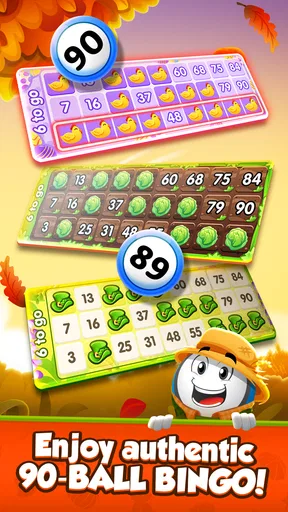
The user interface is sleek and easy to navigate, which is a big plus. I mean, who wants to fumble around with confusing menus when you’re itching to yell “Bingo!” right? Once I fired up the app, I was greeted with a variety of rooms to choose from, each offering different bingo card prices and rewards. It’s perfect for both newbies and seasoned players looking for a challenge.
Features that Make It Stand Out
GamePoint Bingo is free to download and has a 4.6 average from around 46,000 ratings, alongside roughly 2,100 written reviews and over a million installs. Those figures suggest it has found a sizeable audience, though popularity alone does not tell you whether its social, repeat-round style is right for you. The game is rated Teen, so it is not aimed specifically at young children.
It first appeared on March 18, 2015, and the current version is 1.301.60862, with Android 8.0 as the minimum operating-system requirement. That makes checking your device compatibility worthwhile before you plan to play. In-app purchases range from 99 cents to $234.99 per item, so the free entry point should not be mistaken for a guarantee that every optional purchase is inexpensive. I would keep purchases firmly optional and avoid buying simply to chase a result.
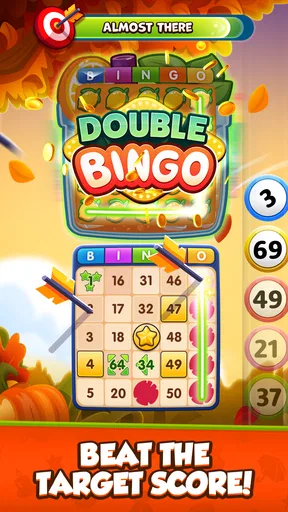
Let’s talk about the gameplay. It’s straightforward and fun – exactly what you’d expect from a bingo game. You choose your room, get your cards, and the numbers start rolling. The excitement builds as you inch closer to that bingo win. Plus, the app has this auto-daub feature which is a lifesaver. If you’re like me and get distracted easily, it ensures you don’t miss marking any numbers.
The graphics are vibrant and engaging, which makes the experience all the more enjoyable. The sound effects and background music are spot on too. They add just the right amount of atmosphere without being distracting.
A small but useful way to manage the pace is to decide what you want from a session before opening a room. If you want a quick distraction, choose a familiar entry level and let auto-daub reduce the tapping. If you want the social side, give yourself time to chat rather than trying to squeeze that interaction into a rushed round. And if the room’s cost makes you hesitate, that is a good sign to step back and choose a more comfortable option rather than treating a potential prize as a reason to stretch your budget.
In-App Purchases and Ads
Now, onto the nitty-gritty of in-app purchases. Like many free games, GamePoint Bingo offers in-app purchases for coins and power-ups. However, it’s totally playable without spending any money. The game is pretty generous with free coins through daily bonuses and wins, so you can definitely enjoy it without breaking the bank.
As for ads, they’re present but not overwhelming. They usually pop up between games, and honestly, they’re easy enough to skip if you’re not interested.
The main friction is not learning the rules; it is deciding how much of the game’s reward loop you want to engage with. Between room entry, bonuses, and optional purchases, there are several reasons to keep playing or replenish resources. For me, that is manageable when I treat each round as entertainment and keep spending separate from the excitement of a near win. If you prefer games with no purchase prompts or no in-game economy to think about, a basic offline bingo alternative will be a cleaner fit.
Wrapping It Up
All in all, GamePoint Bingo is a delightful app that captures the essence of traditional bingo while adding a modern twist. Whether you’re a bingo aficionado or just looking for a fun way to pass the time, this app is worth a download. The social features, daily bonuses, and engaging gameplay make it a standout in the mobile gaming world.
My verdict on the loop is that it works because every round gives you a quick action, immediate feedback, and a clear reason to choose whether to start again. The social rooms and bonuses add reasons to return, while the entry costs and optional purchases are the parts I would keep an eye on. I’d recommend it to someone who likes familiar bingo, a bit of shared atmosphere, and sessions that can be picked up casually. I’d point a strategy-focused player, someone avoiding in-app spending, or anyone who wants completely solitary play toward a different kind of game.
So, if you’re ready to dive into a world of numbers and excitement, grab your phone and give GamePoint Bingo a try. You might just find yourself shouting “Bingo!” before you know it.
Pros
- Engaging graphics and animations.
- Frequent updates with new features.
- User-friendly interface.
- Variety of bingo rooms available.
- Social features enhance gameplay.
Cons
- Contains in-app purchases.
- Requires a stable internet connection.
- Ads can be intrusive.
- Limited offline functionality.
- Some features locked behind paywalls.
FAQs for GamePoint Bingo Games of Bingo
What is GamePoint Bingo and how does it work?
GamePoint Bingo is a popular online bingo game available on Android and iOS that blends traditional bingo gameplay with social features. Players can join multiple rooms, play with friends, and participate in live bingo games. The game offers various modes, power-ups, and events to enhance player engagement and excitement.
Is GamePoint Bingo free to play, and are there in-app purchases?
Yes, GamePoint Bingo is free to download and play. However, it does offer in-app purchases for players who wish to enhance their gaming experience. These purchases can include additional coins, power-ups, or special items that can provide advantages during gameplay. Users can enjoy the game without spending money, but purchases can enhance progress.
What are the social features in GamePoint Bingo?
GamePoint Bingo includes several social features that allow players to interact with others. Players can chat with friends and other players in real-time, join clubs, and participate in community events. These features make the game more engaging by fostering a sense of community and competition among players globally.
How can I ensure a safe gaming experience on GamePoint Bingo?
To ensure a safe gaming experience, it's essential to adjust privacy settings within the app and be cautious about sharing personal information. GamePoint Bingo has measures in place to protect user data, but players should also practice safe gaming habits, such as not sharing account details and being vigilant about possible scams.
What devices and operating systems are compatible with GamePoint Bingo?
GamePoint Bingo is compatible with both Android and iOS devices. It requires Android version 5.0 and up, or iOS version 10.0 or later. The game is optimized for smooth performance on a wide range of smartphones and tablets, ensuring an enjoyable experience for most users. Always check compatibility with your device before downloading.


